NEW · TOOL OF THE DAY · 8 NOVEMBER 2026
Gemini Notebook: Turn Your Sources into a Research Workspace
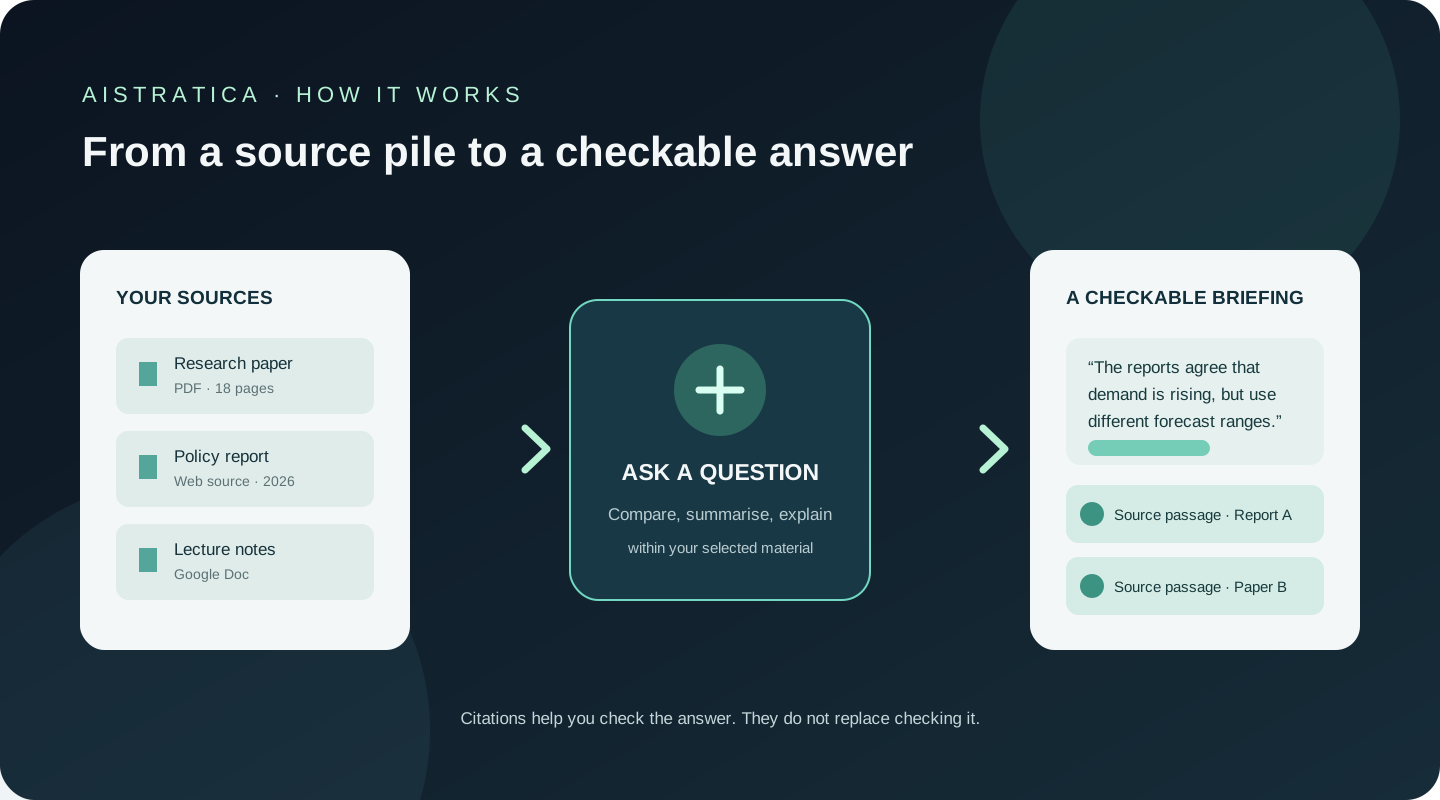
An illustrative scene, not a reported user experience. At a library table in Lahore, a graduate student has three research papers open, a long policy report on her laptop and a notebook full of hurried notes. Her question is simple: what do these sources say about data-centre electricity demand, and where do their conclusions differ?
The hard part is not only reading. It is remembering which claim came from which document, then finding the page again when a sentence needs checking. Gemini Notebook is designed for this kind of work: gather material around a subject, ask questions about that collection, and follow citations back to the source.
What Gemini Notebook actually does
Gemini Notebook is Google’s research and learning workspace, formerly called NotebookLM. Google announced the new name in July 2026, keeping the standalone product while extending its links with the Gemini ecosystem. The rename matters when searching for help: many older guides still use NotebookLM. Visit the official Gemini Notebook website or read Google’s announcement.
Users can add documents and web material, then ask questions or request summaries and study aids based on the selected sources. Its answers can include citations pointing to relevant source passages. Supported imports include Google Docs and Slides, PDFs, text and Markdown files, web pages, public YouTube URLs and audio files; exact options may vary by account and product version. Google Workspace product page · Source import help
Think of it as a study desk with a reference assistant. You place the books and papers you want to use on the desk, then ask the assistant to find connections or explain a section. It can make a first pass through the material; it cannot decide whether the material is reliable, current or representative.
That source-focused design differs from a general chatbot. Notebook answers are meant to draw on the materials in the notebook, although some paid plans add source discovery and deeper research functions. A citation is a useful pointer, not a guarantee that an answer is complete or correct.
Six features worth understanding
1. Questions across a selected source set
Add material about one subject, then ask for a summary, comparison or explanation. A researcher could ask which of three papers treats data-centre power demand as measured evidence and which describes a future projection.
This can save time locating passages across documents. The limitation: a fluent answer may misread a source or miss a disagreement. Open its citations and check the surrounding context.
2. Citations back to source passages
Responses can include links to the passages used, so you can move from summary to original material. That is more useful than a claim with no traceable source. Google’s help page explains source-grounded answers.
But citations do not prove that the source is authoritative or that the answer has included relevant contrary evidence. The student still has to judge the document, not merely admire the neat little citation chip.
3. Audio and video overviews
The product can turn source material into audio or video overviews. Google has also announced spoken conversations with notebooks, short video overviews and learning materials, with availability dependent on account, device, plan and rollout. Google’s September 2026 update
These formats can make an initial introduction easier to absorb. They can also flatten nuance or omit details that matter in technical, legal or academic reading. Treat them as a route into the source, not a replacement for it.
4. Quizzes, flashcards and reports
Users can ask for study aids based on their notebook sources. Google’s plan documentation lists reports, flashcards, quizzes and other artifacts, with limits that vary by access level. Current plan limits
This can help turn lecture notes into revision questions. The questions may focus on easy facts rather than difficult concepts, so review them before making them your entire study plan.
5. Source discovery and deeper research
Some subscription levels provide more access to source discovery and deeper research. These functions can help extend an initial collection, but finding more material does not mean finding better material. Check dates, authorship, methods and original links. Google’s feature and usage table
6. Connection with Gemini and data analysis
Google says notebooks are being connected across Gemini products. It has also announced code execution inside notebooks for some higher-access users, intended to support analysis grounded in notebook sources. Renaming and integration announcement
That may suit people already working in Google’s ecosystem. But features roll out by plan and account type; check access before designing a workflow around them. Some feature descriptions are company announcements, not independent performance findings.
Try Gemini Notebook in 20 Minutes
Project: Prepare a short, source-checked briefing from three documents.
- Choose a narrow question. For example: “What do these sources say about how data centres affect local electricity systems?”
- Gather three reliable sources. Prefer original research, public reports or official material. Upload only material you are allowed to use.
- Create a notebook and add the sources. Available import options can vary by account and product version.
- Ask for a source-based comparison. Copy this prompt:
Using only the sources in this notebook, write a 200-word briefing on the main claims about data-centre electricity demand. Separate measured findings from forecasts. Identify where the sources agree and disagree. Attach citations to factual claims. If the sources do not answer something, say so.
- Check the citations. Open the cited passages. Look for missing context, disagreement between sources and claims that go beyond the evidence.
- Make one study aid. Ask for five revision questions, then verify that their answers are supported by the documents.
The goal is a first briefing and a shortlist of passages to read closely—not a finished research paper.
Pricing and plans
Gemini Notebook has a free Standard level. Higher limits are included through Google AI subscriptions or qualifying Workspace plans; it is not a single standalone paid subscription everywhere. Google’s current help page lists 50 sources per notebook for Standard and higher limits for subscription tiers. Limits can change. Official plan and limit page
| Access route | U.S. monthly price checked 8 Nov 2026 | Notebook allowance snapshot |
|---|---|---|
| Standard | Free with a Google account | Up to 50 sources per notebook; standard limits |
| Google AI Plus | $4.99/month | More access; Google lists up to 100 sources per notebook |
| Google AI Pro | $19.99/month | Higher access; Google lists up to 300 sources per notebook |
| Google AI Ultra | $100 or $200/month, depending on tier | Expanded access; Google lists up to 500 or 600 sources per notebook across Ultra tiers |
Prices are U.S. references in USD, billed monthly. Regional prices, availability and terms vary. Google’s public pages display monthly prices; we could not confirm an annual-billing price for Gemini Notebook itself. Workspace and education access depends on the institution’s licence. Check the live Google AI plans and Notebook plan limits before subscribing.
How it compares
| Alternative | Distinctive strength | Suitable for | Trade-off |
|---|---|---|---|
| Microsoft Copilot Notebooks | Brings Microsoft 365 files, Copilot chats, links and OneNote material into a project workspace | Teams already using Microsoft 365 | Access depends on licence; less compelling if your work sits elsewhere |
| ChatGPT Projects | Keeps related chats, files and instructions together for continuing work | Users who want a flexible assistant workspace | Broader than a source-first notebook; users still need to verify answers |
| Gemini Notebook | Organises a defined source collection and can return source-linked answers and learning aids | Students and researchers working from set materials | Limits and premium features depend on plan and rollout |
Microsoft describes Copilot Notebooks as a way to gather project material across its products. OpenAI describes Projects as a place to keep related chats, files and instructions together. Each fits a different working environment. Microsoft Copilot Notebooks · ChatGPT Projects. For a web-first research workflow, see AIstratica’s Perplexity research guide.
What doesn’t work well
Source grounding is not source validation. A notebook can help navigate a document, but it cannot make a weak report reliable. It may produce a confident summary that misses a qualification or contradiction. Citations make checking easier; they do not remove the need to check.
Summaries can flatten an argument. Audio and video overviews are convenient, but they may compress disagreement and detail. Read the underlying material when exact context matters.
Limits shape larger projects. Standard and paid tiers have different source and usage limits, which Google says can change. A very large collection may need more planning or a paid tier.
Features are not uniform. New capabilities roll out over time and can vary by country, age, device, account and subscription.
Be thoughtful with sensitive uploads. Google says consumer data is not used to train Gemini Notebook unless users provide feedback. For qualifying Workspace users, Google says uploads, queries and responses are not reviewed by human reviewers or used to train AI models. Organisations should still check their applicable account terms before adding confidential documents. Google’s data-handling and plan notes
AIstratica’s verdict
- Best for: Students, researchers and professionals asking questions about a defined collection of readings.
- Worth trying? Yes. Free Standard access is enough to test a small, focused notebook.
- Worth paying for? Only if higher limits or connected Google AI features solve a regular need.
- Biggest strength: Source links make it practical to check where an answer came from.
- Biggest limitation: A source-linked answer can still be incomplete or wrong; advanced access is split across plans and rollouts.
- Basis: Product documentation and official plan details. AIstratica has not claimed hands-on testing for this review.
The student at the library still has to read the papers. But with the documents gathered in one place and citations close at hand, she can spend less time hunting for a paragraph—and more time deciding what the evidence actually means.
Editorial illustration: AIstratica original conceptual diagram of sources becoming a cited briefing; not a product screenshot. Product details and plans fact-checked 8 November 2026.