NEW · TOOL OF THE DAY · 9 NOVEMBER 2026
Cursor Build Live Apps: From a Prompt to a Shareable Tool
Editorial basis: Cursor’s official product announcement, documentation and pricing pages, checked 9 November 2026. This is a documentation-based review; AIstratica did not independently run the feature.
At 4:40 on a Tuesday afternoon, an operations manager has a spreadsheet of equipment requests, three versions of a sign-out form and a colleague asking whether the new dashboard is “nearly ready.” It is not. The data is in one place, the process in another, and the dashboard exists mostly as an optimistic sentence in a meeting note.
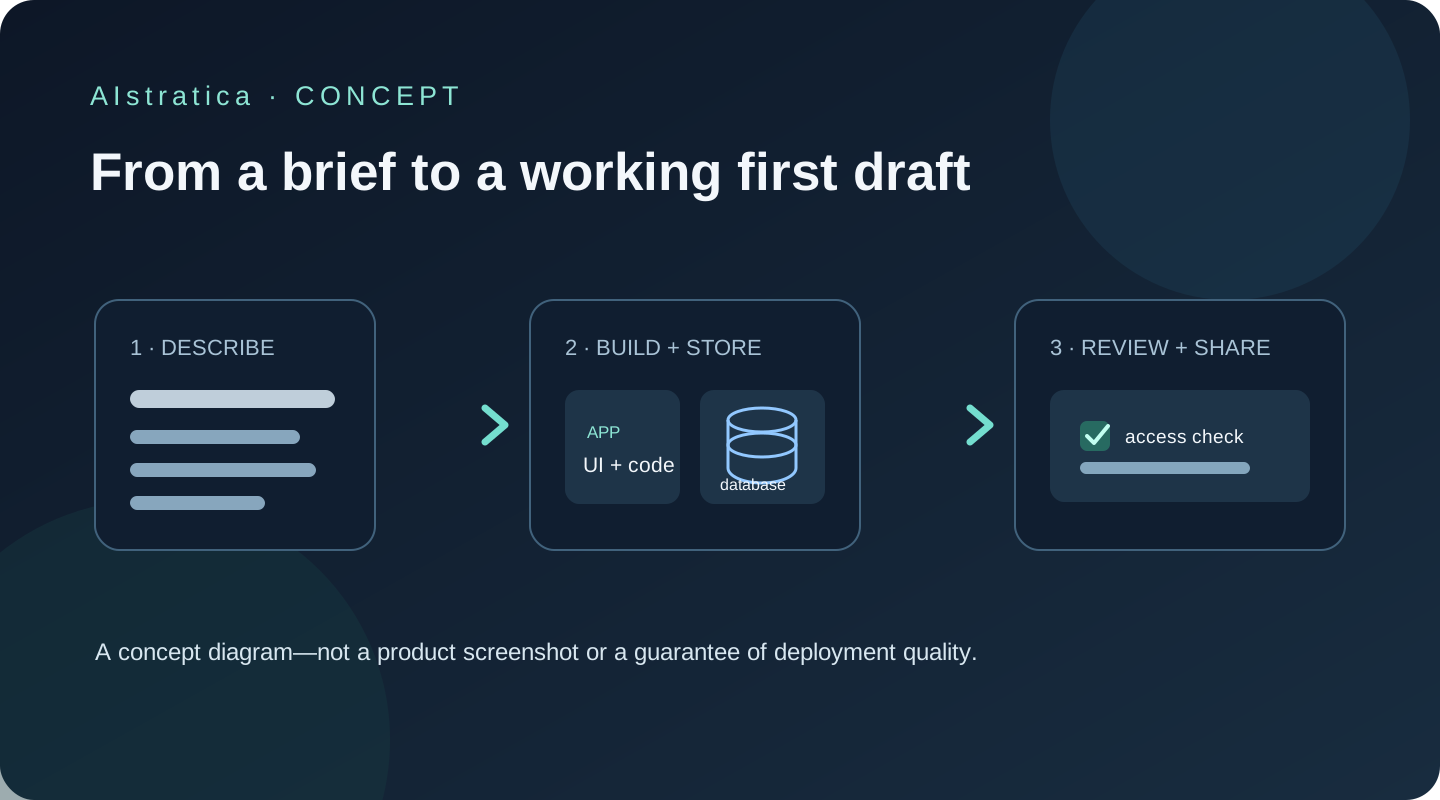
Imagine giving a coding agent a plain-English description and receiving a working web app, a database, sign-in and a link your team can open. That is the idea behind Cursor’s new Build Live Apps capability. It could turn a small internal tool from a side project into a first draft much sooner. It does not turn software review into an optional hobby.
What Cursor’s new Apps feature actually does
Cursor is a code editor and AI coding environment made by Anysphere. On 5 November 2026, Cursor announced that its cloud agents can now build and deploy shareable web apps. You describe the app; the agent creates a web project and, when needed, provisions a PostgreSQL database, authentication and hosting. You review the result and choose whether to publish it. Cursor calls the feature “Build Live Apps”; its current documentation labels the capability “Apps.”
An agent is software that can take a goal, use tools and make several connected changes with less step-by-step direction than a chatbot. Here, the agent works in a cloud development environment: it can create files, run the project and prepare a deployed app. It is different from asking a chat window for a code snippet and then deciding where to paste it.
The feature suits developers, technical teams and people who can clearly describe a workflow and review the result. A non-programmer can use it to prototype a small dashboard or tracker, but should plan for a developer or security-aware colleague to check anything that handles real accounts, customer records, money or sensitive operations.
Cursor says a new app can start in Cursor Origin, its repository service, or from an existing GitHub repository. The documented workflow requires a cloud agent; the Apps capability is not supported in a local-only agent run. Cursor says GitLab support is planned, so do not treat that as available today.
What is useful about it
1. A request becomes a working app scaffold
You can describe a dashboard, internal portal or microsite in ordinary language. Cursor’s agent then creates and runs the web project in its cloud environment. For an operations team, that might mean a searchable equipment register with a request form rather than another spreadsheet tab named “final-v3.”
The benefit is a faster first version, not automatic product design. Your instructions still need to explain who uses the app, what fields matter, what should happen when a form is submitted and what “done” looks like. Vague prompts tend to produce plausible-looking pages with vague behavior.
2. A database can be provisioned with the app
When a project needs stored information, Cursor says it can create a PostgreSQL database. A request tracker, for example, could store a request title, owner, status and date rather than losing those details when the page refreshes.
That removes some setup work, but it does not settle questions about data retention, backups, permissions, deletion or whether the schema reflects the real workflow. Ask the agent to explain the tables and access rules, then inspect them before using real records.
3. Sign-in and sharing have defined access modes
Cursor documents private apps for invited people, team-only apps and public apps. Individual-plan apps can be shared publicly; team and Enterprise apps sit behind Cursor sign-in, and public sharing is disabled by default for those plans. The account model is useful for internal tools that should not be open to anyone with a link.
“Private” is a setting to verify, not a feeling to infer from the app’s name. Before sharing, check who can open it, what each role can do and whether the app itself has any separate user permissions.
4. Secrets have a separate handling path
An app may need an API key to connect to another service. Cursor says the agent can request secrets through its secret-management flow and does not see their values. The published app checks also block common exposures such as hard-coded credentials and .env files.
That is a helpful design choice, but it does not make every integration safe. Give an app only the credentials and access it needs. Do not paste production passwords or customer data into a chat prompt.
5. Publishing has a review gate
Before each publish, Cursor says it runs four built-in checks: it blocks secrets in app files, blocks credential files, excludes .env files and removes source maps. It also runs an AI security review for serious issues. Cursor’s documentation says nothing goes live until the user chooses to publish.
These checks can catch common mistakes; they cannot prove that the app is secure, correct, compliant or suitable for production. A security scan is a checkpoint, not a warranty. Test normal and unusual inputs, inspect access controls and read the generated code before connecting consequential systems.
Try Cursor Apps in 20 Minutes
This is a first-draft exercise, not a promise that every app will be ready to deploy within 20 minutes. Cursor’s feature requires a paid plan with Cloud Agents. Use sample information only.
- Start a cloud agent. In Cursor, choose a cloud agent and ask it explicitly to build a web app. Start with a new repository if you do not have an existing project to use.
- Paste this prompt:
Build a private equipment-request tracker for a small team. Create a clean, mobile-friendly web app with a form for equipment name, requester, date needed and reason; a table showing submitted requests; and a filter for pending, approved and fulfilled. Use fictional sample data only. Do not connect to external services, add payment features or publish the app. Tell me the database tables, permissions and assumptions before you finish. Include empty, loading and error states, and validate required fields.
- Let the agent explain its plan. Check whether it understood the audience, fields and status changes. Correct any wrong assumptions before it writes more code.
- Review the preview. Try adding a fictional request, filtering the table and checking the page on a narrow screen. Look for broken labels, missing validation, inaccessible controls and errors after refresh.
- Ask for a focused revision. For example: “Keep the same fields, but make the pending status easier to distinguish and show a clear message when no requests match the filter.”
At the end of 20 minutes, aim to have a prototype you can inspect. Do not click publish merely to prove the button works. If you later publish, choose the correct visibility and have someone review the app before entering real information.
Pricing and access
Cursor’s current pricing and help pages describe a new subscription structure that bundles Cursor with X and Grok. These are U.S.-dollar list prices; taxes may apply. The feature is available on paid plans that include Cloud Agents.
| Plan | Official price | Can it use Build Live Apps? | Practical note |
|---|---|---|---|
| Free | $0/month | No | Limited agent and chat usage; no Cloud Agents. |
| Plus | $8/month or $80/year | No | Basic usage; Cursor’s docs say Cloud Agents are not included. |
| Premium | $30/month or $300/year | Yes | First listed individual tier with Cloud Agents and Apps. |
| Super | $100/month or $1,000/year | Yes | Larger usage pool and priority access. |
| Ultra | $200/month or $2,000/year | Yes | Highest listed individual usage tier. |
Last verified: 9 November 2026. Check Cursor’s pricing page and pricing and plan documentation before subscribing. Cursor says third-party model usage is billed separately at the model’s API list price; included usage limits vary by plan. Existing Cursor subscribers may be on legacy plans, which Cursor says can continue unless they switch.
How it compares
| Alternative | Distinctive strength | Suits | Trade-off |
|---|---|---|---|
| Replit Agent | Builds, runs and deploys apps in a browser-based workspace, with database and sign-in services documented by Replit. | People who want a more self-contained build-and-host workflow. | Agent work uses plan usage or credits; inspect cost controls before asking for repeated large revisions. |
| Lovable | Chat-led app and website creation with a visual editing workflow. | Founders and small teams shaping a web product from a written idea. | Credit limits and hosting choices affect how much iteration fits in the free or paid plan. |
| Cursor Apps | Combines a coding-agent workflow with repository access, hosted app setup and publish checks. | Teams that want generated code and a route to a working internal app. | Requires a paid Cloud Agents plan; a coding environment gives users more responsibility for reviewing what the agent creates. |
These products change their plans and feature access often. Compare the official plan pages for the project you actually intend to build.
What does not work so well
- It is not a free no-code toy. The Apps capability requires a paid plan with Cloud Agents; the $0 and $8 plans do not include the documented feature.
- A natural-language spec can still be underspecified. The agent may make a coherent guess that is wrong for your team’s process.
- Cloud work means code is processed remotely. Cursor says Privacy Mode prevents code from being used for training by Cursor or its model providers, but that does not mean the service never processes or stores the project. Follow your organisation’s data rules; Cursor’s documentation advises against Cloud Agents where policy prohibits code storage.
- Publishing checks are limited. They help block common credential leaks and security problems, but they do not replace testing, access review, backups or professional security assessment.
- Plan terminology has changed. Cursor’s new subscription names differ from older Pro and Pro+ plans. Read the current checkout details and check whether your account is on a legacy plan.
- There is no guarantee of a finished app in 20 minutes. The exercise above targets a first prototype; generation, fixes and security review can take longer.
AIstratica’s verdict
Best for: Developers and small teams that want a quick working version of an internal dashboard, portal or microsite, and can review the resulting code.
Worth trying? The free plan is useful for exploring Cursor’s limited coding features, but it does not include Build Live Apps. For the feature itself, the documented entry point is the $30/month Premium tier.
Worth paying for? It may be, if cloud agents and hosted prototypes are part of your regular work. One small internal tool may justify the time saved; a single experiment may not justify an ongoing subscription.
Biggest strength: It closes the gap between generated code and a hosted, shareable first version.
Biggest limitation: It makes a convincing demo easier than it makes a dependable production system. Human review remains part of the job.
Assessment basis: Cursor documentation, official release notes and current pricing pages. AIstratica did not hands-on test the new Apps workflow.
The operations manager in our opening scene may get a useful first tracker before the week ends. That is a good use of an agent: make the first draft less expensive, then let people decide what deserves to go live. The button that publishes an app is not the button that takes responsibility for it.
Sources and verification
- Cursor, Build Live Apps in Cursor, 5 November 2026.
- Cursor Docs, Apps, accessed 9 November 2026.
- Cursor Docs, Pricing and plans, accessed 9 November 2026.
- Cursor, Pricing, accessed 9 November 2026.
- Cursor Docs, Privacy and data governance, accessed 9 November 2026.
- Replit, AI Coding Agent, accessed 9 November 2026.
- Lovable, Build, accessed 9 November 2026.